
Introduction
If you’ve ever connected a keyboard, synthesizer, drum machine, or MIDI controller to a computer, you’ve already used one of the most important technologies in modern music production: MIDI.
Despite being introduced more than forty years ago, MIDI remains an essential part of countless home studios, professional recording facilities, and live performance setups. Its longevity comes from its simplicity and versatility. MIDI provides a universal language that allows electronic musical instruments and software from different manufacturers to communicate seamlessly.
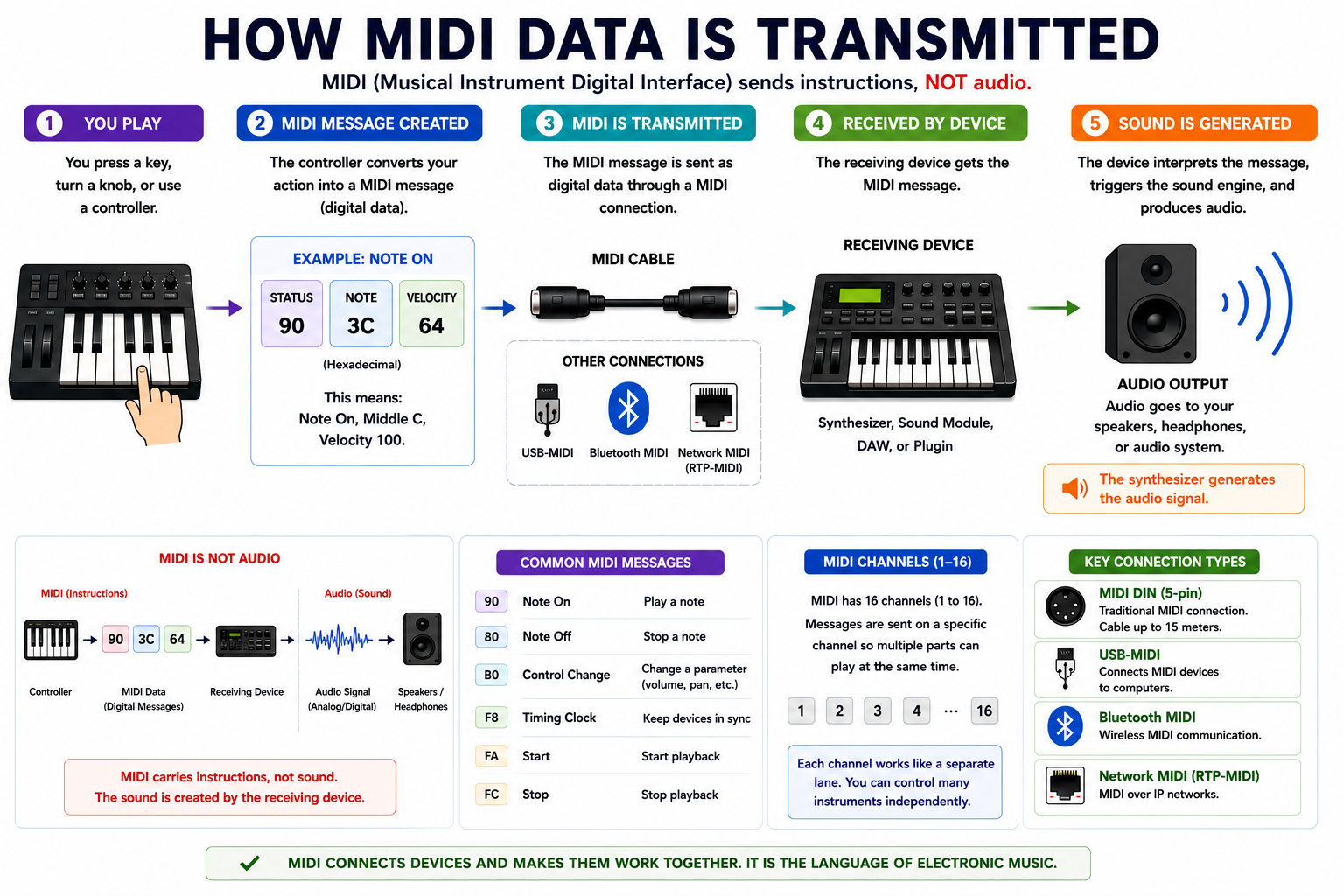
Unlike an audio cable, which carries actual sound, MIDI transmits digital instructions. When you play a note on a keyboard, MIDI sends information about which key was pressed, how hard it was played, how long it was held, and various performance controls. The receiving device then interprets this information and generates the corresponding sound.
Whether you’re building your first home studio or expanding a complex synthesizer setup, understanding MIDI connections is an essential skill. In this guide, we’ll explore how MIDI works, the purpose of MIDI IN, MIDI OUT, and MIDI THRU ports, and the most common ways to connect MIDI devices together.
What Is MIDI?
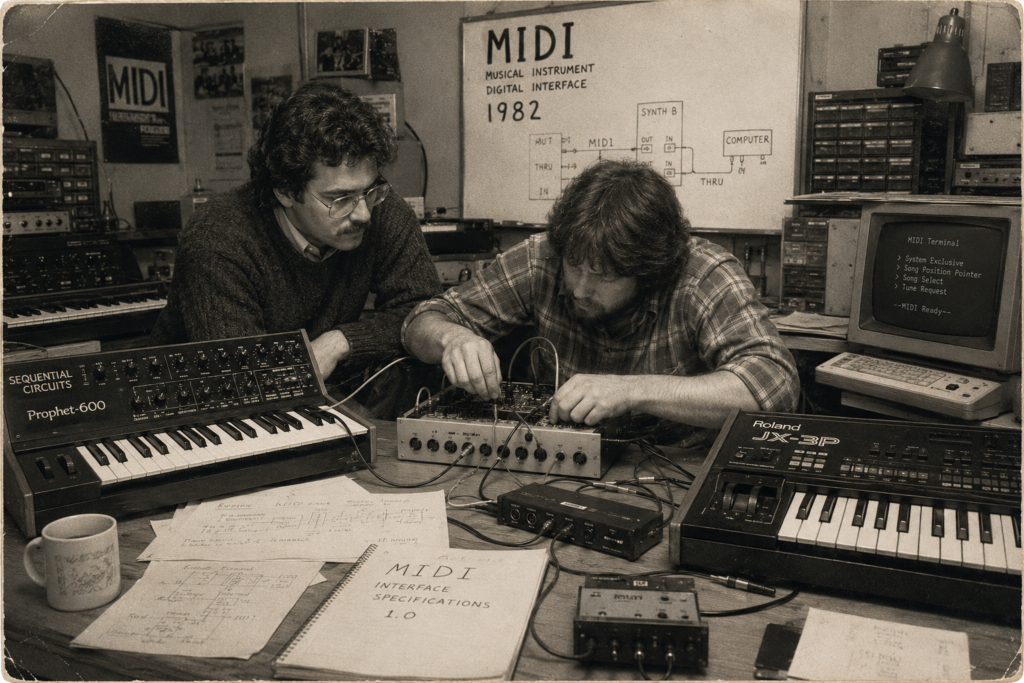
MIDI stands for Musical Instrument Digital Interface. Developed in 1982, it was created to solve a major problem facing musicians and manufacturers at the time: electronic instruments from different brands could not easily communicate with one another.
The introduction of MIDI revolutionized music production. For the first time, a keyboard from one manufacturer could control a synthesizer from another, allowing musicians to build flexible systems without being limited to a single brand.
The first commercially available MIDI instruments included the Sequential Circuits Prophet-600 and the Roland JX-3P. Since then, MIDI has become the universal standard for communication between electronic musical devices.
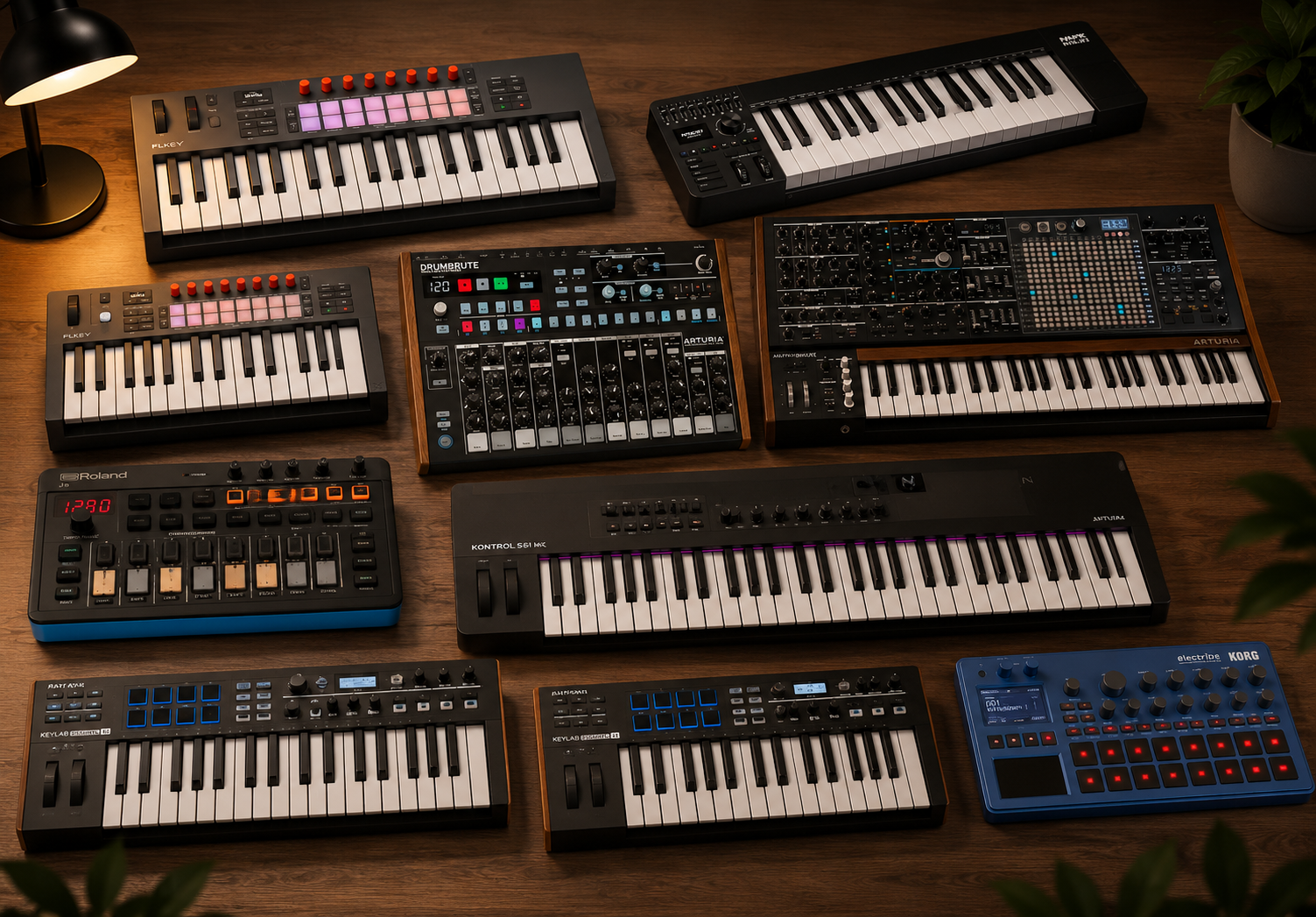
Today, MIDI is used not only by synthesizers and keyboards but also by computers, digital audio workstations, drum machines, effects processors, control surfaces, and countless software instruments.
How MIDI Data Is Transmitted
MIDI uses a digital serial communication system operating at a speed of 31.25 kilobits per second. While this may seem slow compared to modern computer networks, it is more than sufficient for transmitting musical performance information.
Every action performed by a musician generates MIDI messages. Pressing a key, moving a modulation wheel, adjusting a fader, or changing a program all create digital commands that are transmitted through the MIDI connection.
Each MIDI message is organized into small packets of data called bytes. These messages are sent sequentially and interpreted by the receiving device almost instantly.
Under normal circumstances, MIDI communication is extremely reliable. However, when large amounts of information are transferred, such as system-exclusive data dumps or complex multi-device setups, timing issues can occasionally occur.
Some devices process incoming MIDI data faster than others. If data arrives too quickly, certain instruments may experience buffer overloads or communication errors. This is why many MIDI software applications allow users to adjust transmission speeds and timing delays when transferring large amounts of information.
The MIDI Connector
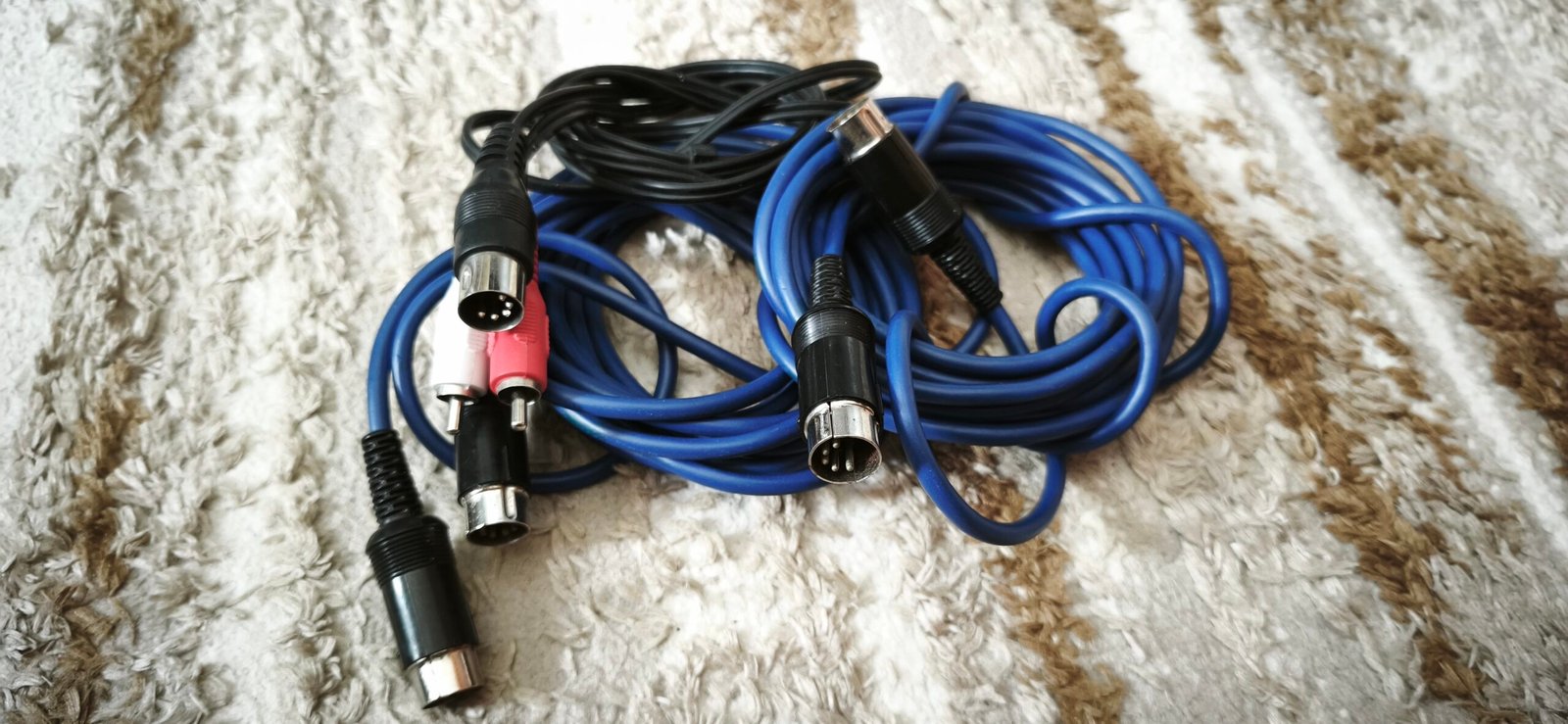
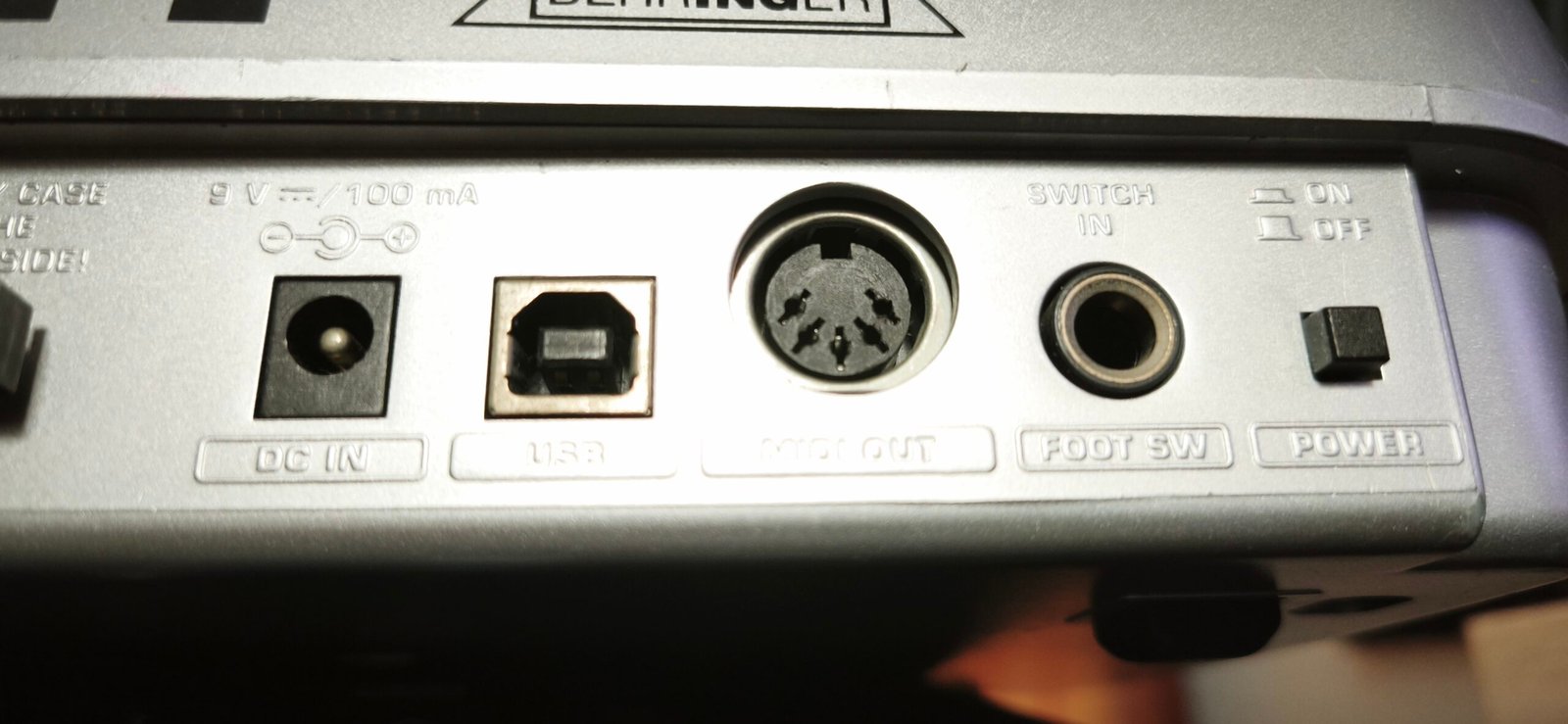
Traditional MIDI connections use a five-pin DIN connector that has become instantly recognizable to musicians and studio engineers around the world.
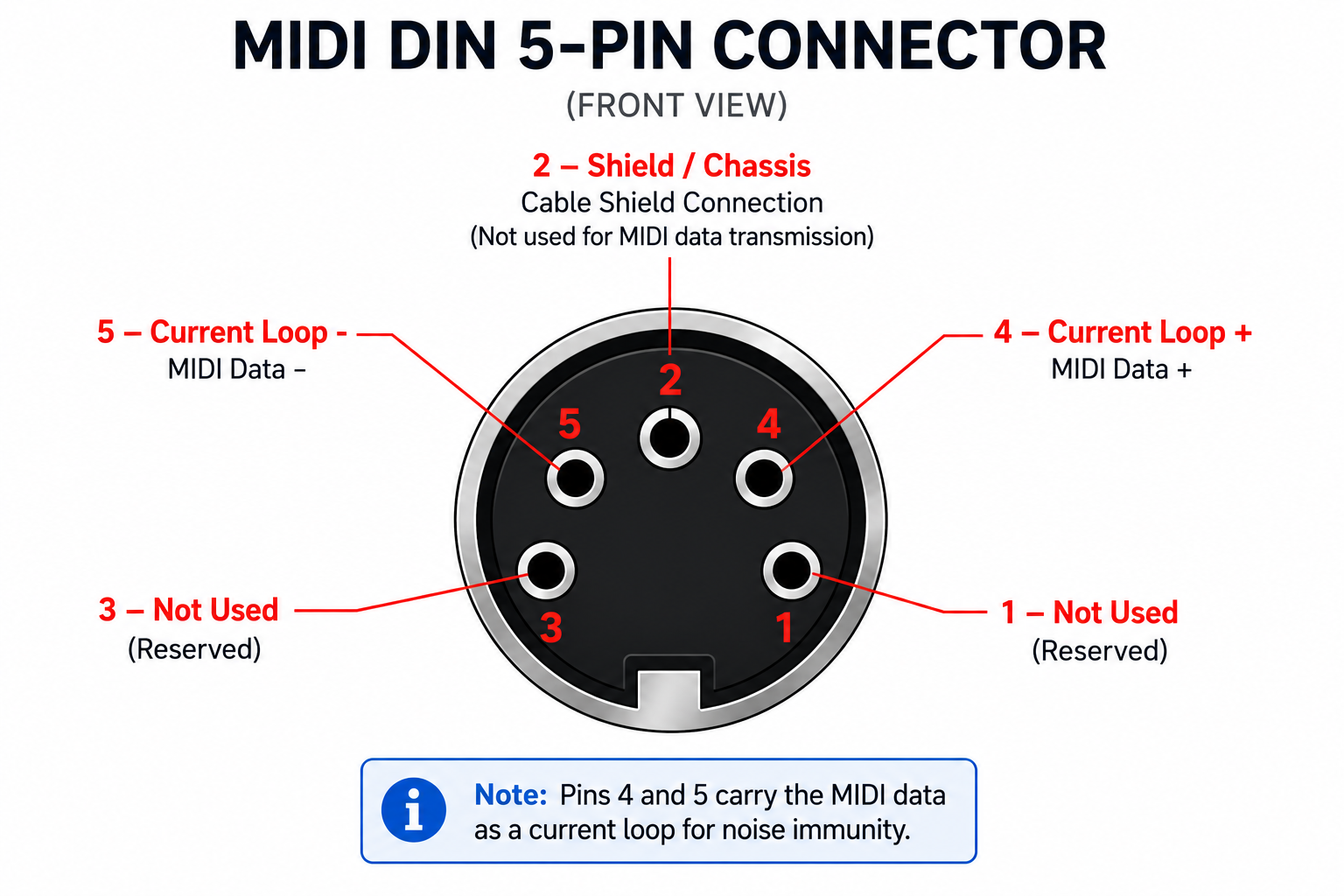
Although the connector contains five pins, only three are actually used during standard MIDI communication. One pin serves as ground while the remaining two carry the MIDI data signal.
According to the official MIDI specification, cable length should not exceed fifteen meters. Beyond this distance, signal degradation and data errors become increasingly likely.
One important detail to remember is that MIDI cables are wired differently from traditional DIN hi-fi cables, even though the connectors may appear identical.
Understanding MIDI IN, OUT, and THRU
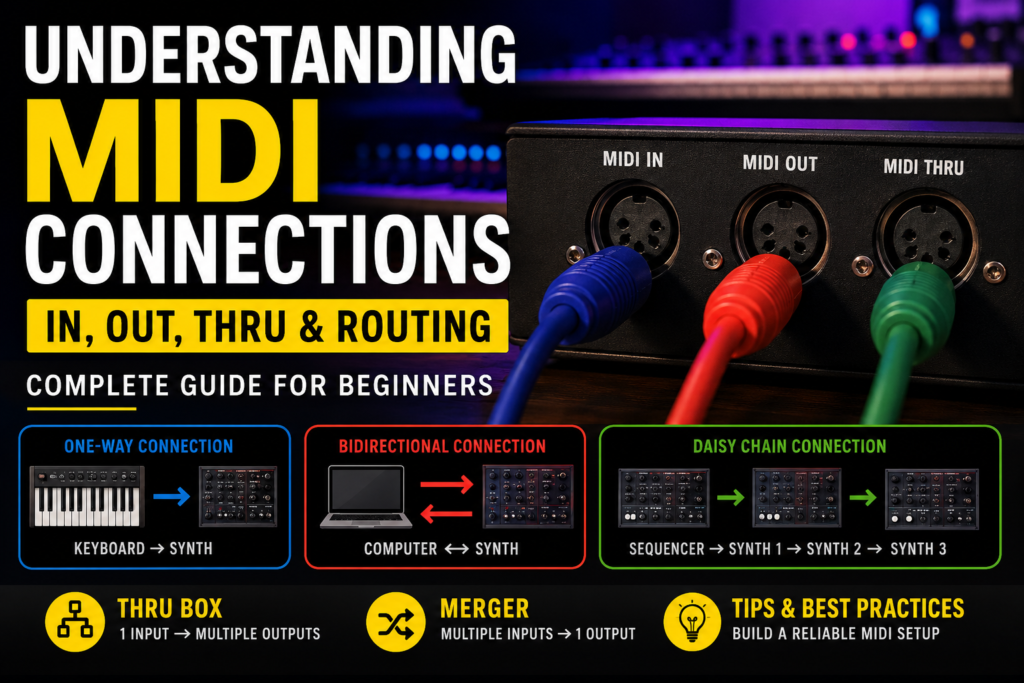
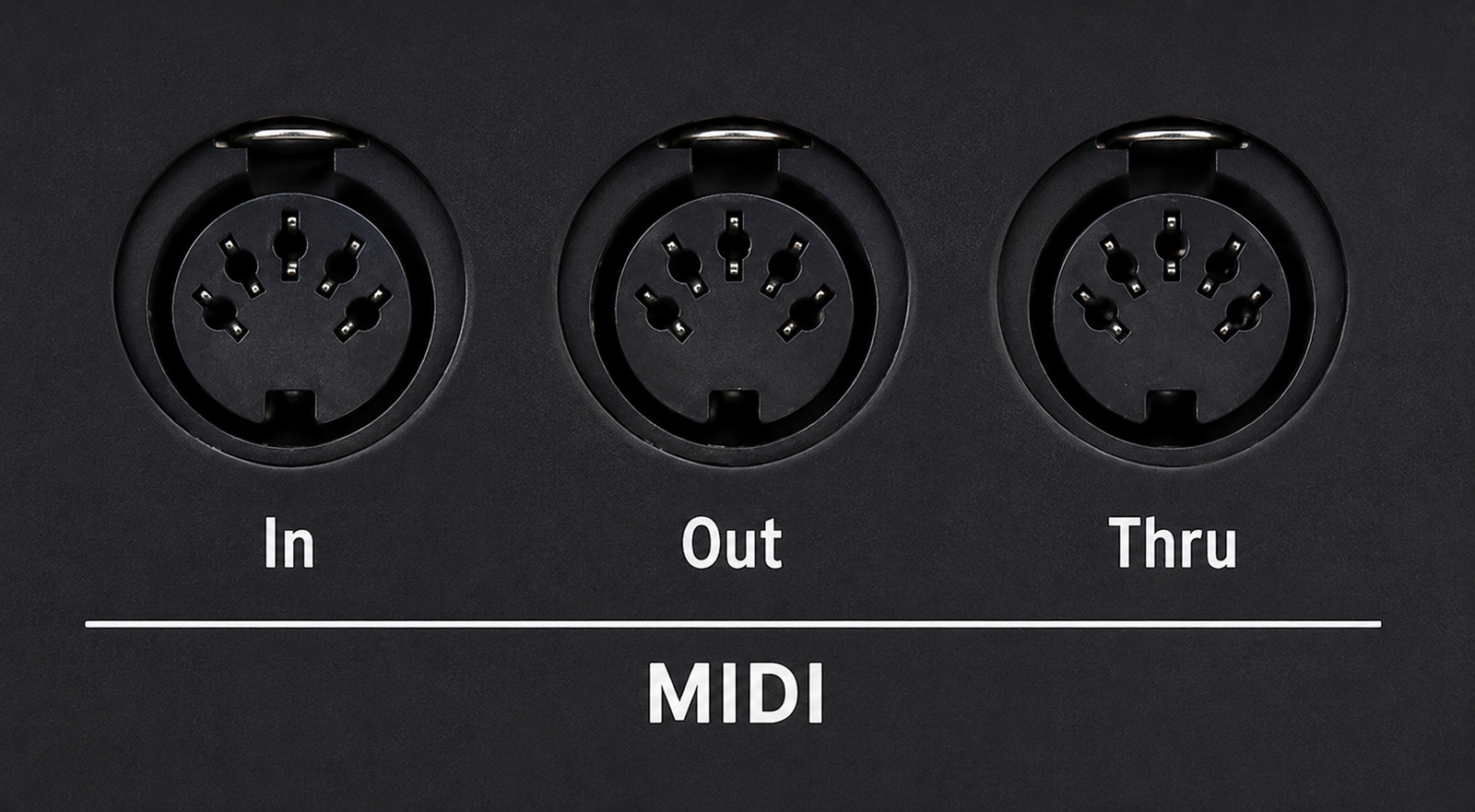
Most MIDI-compatible devices include at least two connectors: MIDI IN and MIDI OUT. Many devices also feature a third connector known as MIDI THRU.
Understanding the purpose of each port is fundamental to building an effective MIDI setup.
MIDI IN
The MIDI IN port receives information from another MIDI device.
For example, a synthesizer may receive note information from a master keyboard, synchronization signals from a drum machine, or playback data from a computer-based sequencer.
Any information entering the device arrives through the MIDI IN connector.
MIDI OUT
The MIDI OUT port sends information generated by the device.
Whenever you play notes on a keyboard, move a controller, or trigger a sequence, the corresponding MIDI data leaves the device through the MIDI OUT port.
This connector is responsible for transmitting performance information to other MIDI devices.
MIDI THRU
The MIDI THRU port performs a different role.
Rather than generating new MIDI data, it creates an exact copy of whatever arrives at the MIDI IN port. This allows incoming MIDI information to be forwarded to additional devices.
The MIDI THRU connector is particularly useful when multiple instruments need to receive the same MIDI information from a single source.
Basic MIDI Connection Types
Once you understand the role of MIDI IN, MIDI OUT, and MIDI THRU, building MIDI systems becomes much easier.
Several connection methods are commonly used in studios and live performance environments.
One-Way MIDI Connection
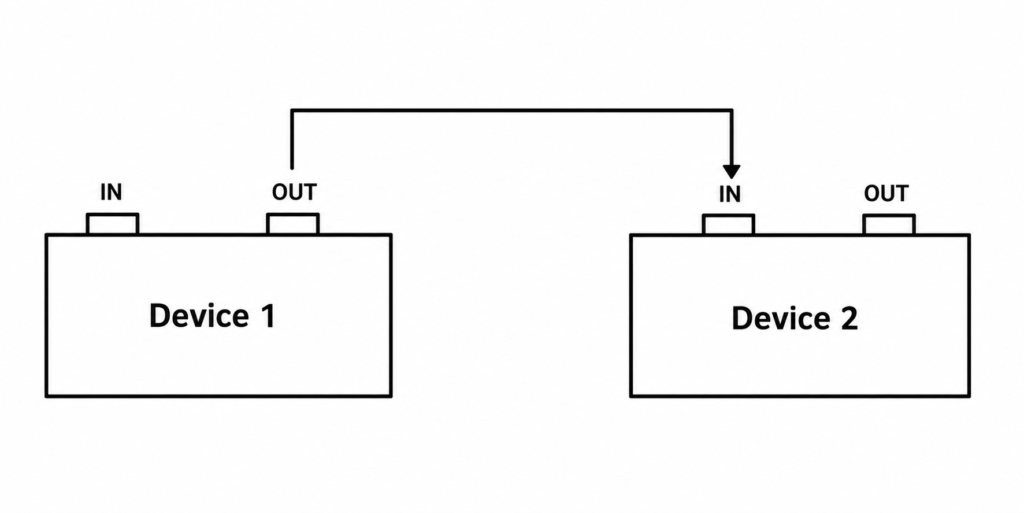
The simplest MIDI configuration involves connecting the MIDI OUT port of one device directly to the MIDI IN port of another.
In this setup, information travels in only one direction.
A common example is a keyboard connected to a synthesizer. The keyboard sends note information, while the synthesizer receives that information and generates sound.
This arrangement is often called a master-slave configuration because one device controls the other.
For beginners, this is usually the first MIDI connection they encounter because it is simple, reliable, and requires only a single cable.
Bidirectional MIDI Connection
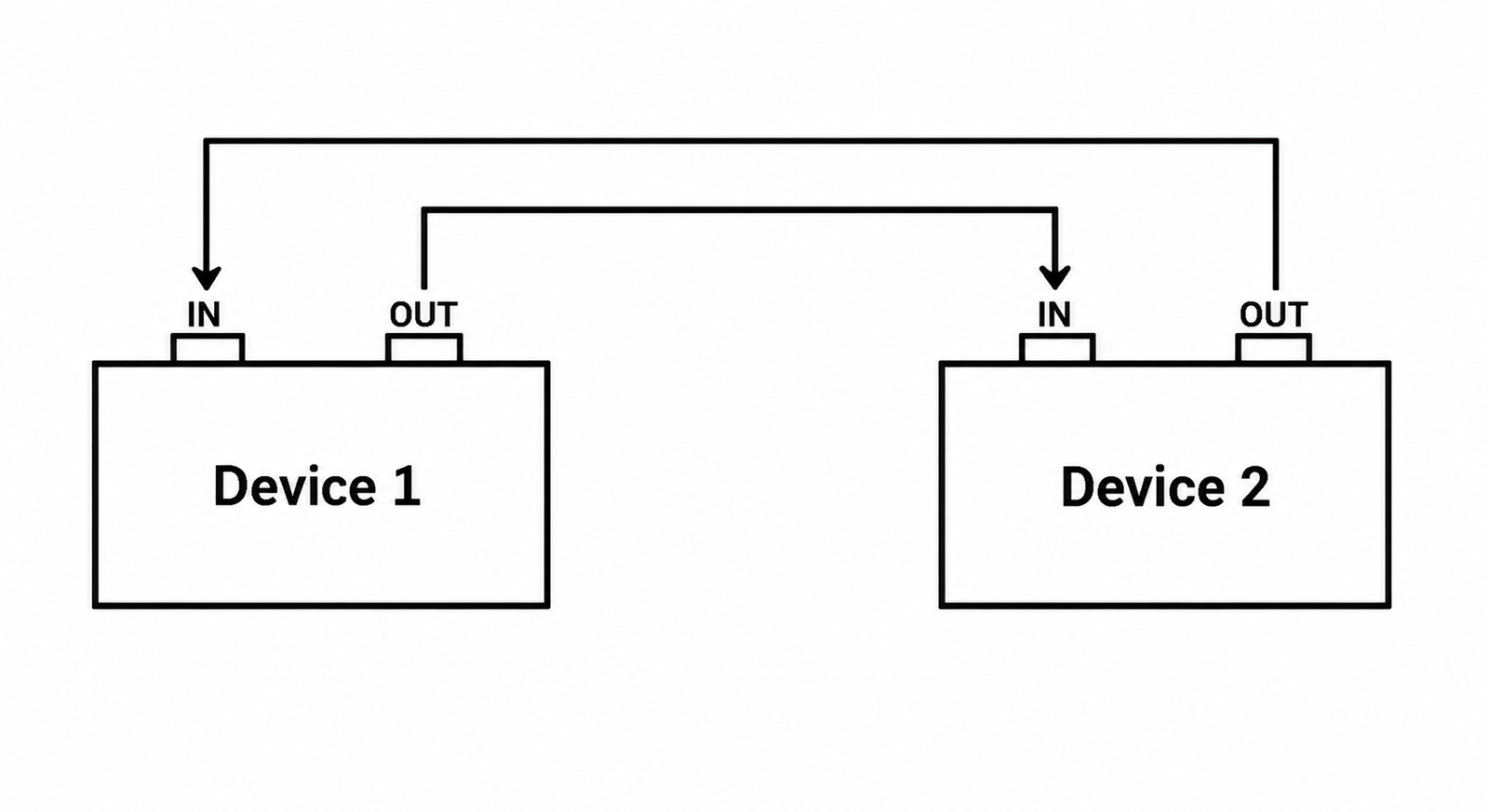
Sometimes two devices need to exchange information with each other.
In this situation, the MIDI OUT of the first device is connected to the MIDI IN of the second device, while the MIDI OUT of the second device is connected back to the MIDI IN of the first.
This creates a two-way communication system that allows both devices to send and receive data simultaneously.
Such configurations are commonly used between computers and synthesizers. The computer can transmit MIDI sequences while simultaneously receiving performance data, patch information, or system-exclusive messages from the instrument.
Bidirectional connections are particularly useful for sound editing, patch management, and data backup operations.
Daisy Chain MIDI Connection
As MIDI systems grow, musicians often need to control multiple devices from a single controller or sequencer.
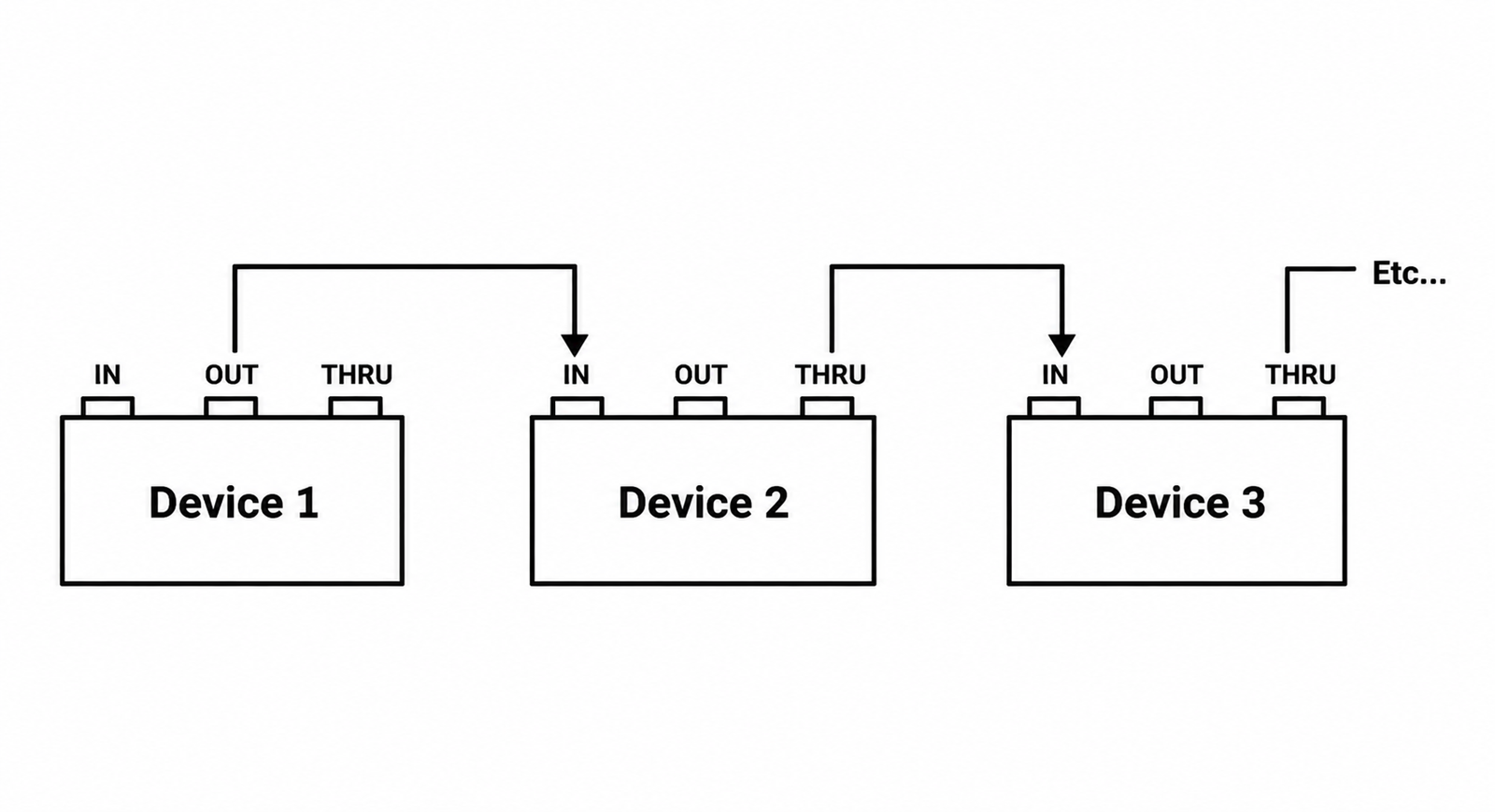
One traditional solution is known as a daisy chain connection.
In this configuration, the MIDI OUT of the first device is connected to the MIDI IN of the second device. The MIDI THRU of the second device is then connected to the MIDI IN of a third device, and the process continues for additional instruments.
This allows multiple synthesizers, sound modules, or drum machines to receive the same MIDI information.
Although convenient, daisy chain configurations have practical limitations. Each additional device introduces a small amount of delay and can contribute to signal degradation.
For this reason, many MIDI specialists recommend limiting daisy chains to a maximum of three devices whenever possible.
Advanced MIDI Routing Solutions
Larger studios often require more sophisticated routing options than standard daisy chain configurations.
Dedicated MIDI routing devices provide greater reliability and flexibility.
MIDI Thru Box
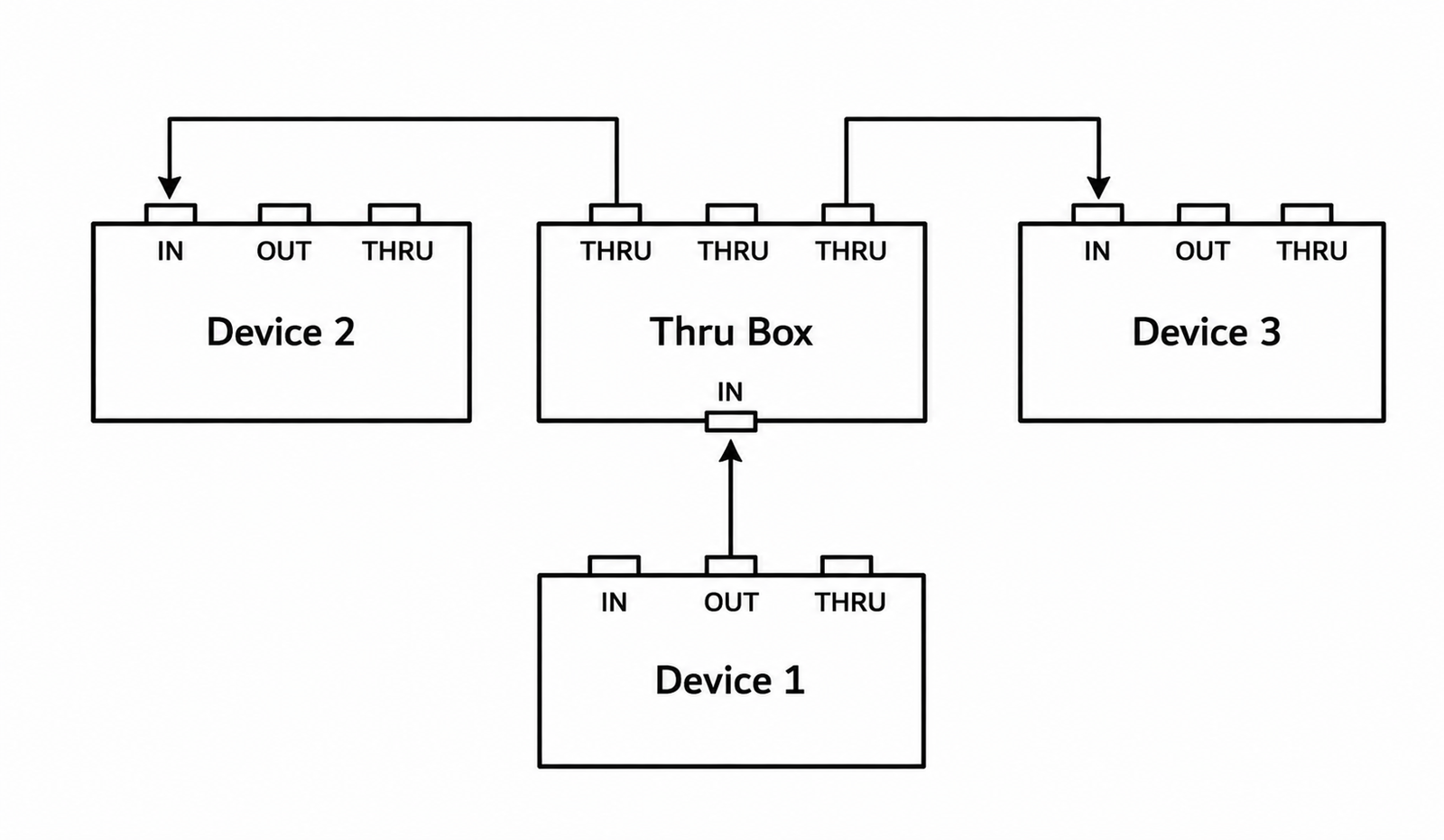
A MIDI Thru Box takes a single MIDI input and distributes it to multiple MIDI outputs simultaneously.
Instead of passing the signal through several devices one after another, the Thru Box creates multiple identical copies of the incoming MIDI data.
This approach offers several advantages. It eliminates signal degradation, reduces latency, simplifies wiring, and ensures that all connected devices receive MIDI information at nearly the same moment.
For musicians with multiple synthesizers or hardware instruments, a MIDI Thru Box is often one of the most valuable additions to a studio.
MIDI Merger
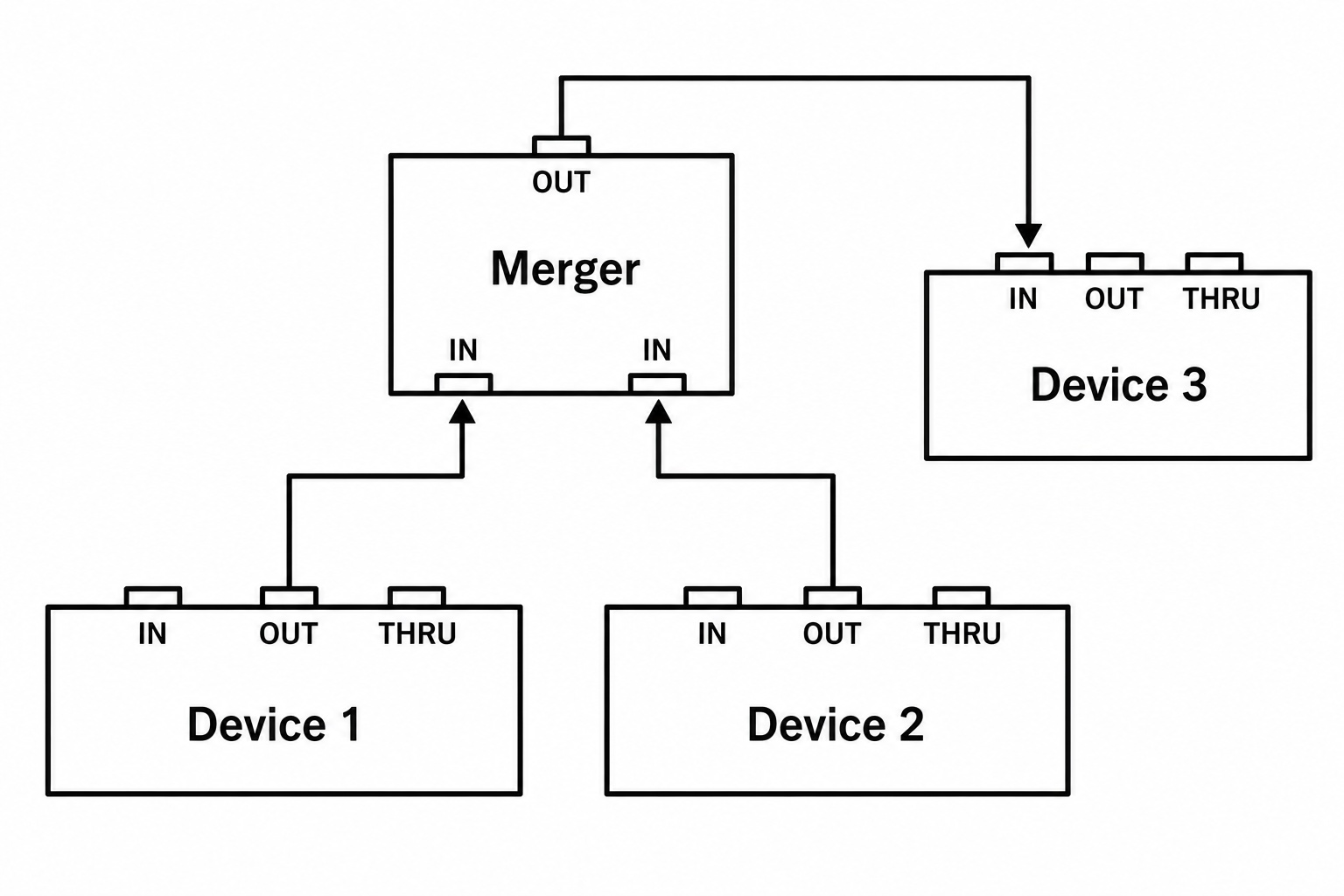
A MIDI Merger performs the opposite function.
Rather than distributing one signal to several devices, it combines multiple MIDI inputs into a single MIDI output.
This allows several controllers or instruments to communicate with the same destination device.
For example, two MIDI keyboards can simultaneously control a single synthesizer through a MIDI Merger.
This type of device is especially useful in complex studio setups and live performance environments where multiple controllers must operate together.
Common MIDI Setup Mistakes
Even though MIDI is extremely reliable, beginners often encounter a few common problems.
One of the most frequent mistakes involves confusing MIDI IN and MIDI OUT connections. A single reversed cable can prevent an entire setup from functioning properly.
Another common issue is creating MIDI loops, where devices continuously send the same information back and forth. This can result in stuck notes, excessive MIDI traffic, and unpredictable behavior.
Long daisy chains may also introduce timing problems, especially when transmitting large amounts of MIDI data.
Finally, it is important to remember that MIDI carries information, not sound. A MIDI cable alone will never transmit audio. Audio connections are still required to hear the sound generated by a synthesizer or other instrument.
MIDI in the Modern Studio
While traditional five-pin DIN connectors remain common, modern MIDI systems often use USB connections.
Many MIDI controllers connect directly to computers without requiring dedicated MIDI interfaces.
Despite these technological advances, the underlying principles remain exactly the same. Whether MIDI travels through a DIN cable, USB connection, or wireless network, the information being transmitted is fundamentally identical.
Learning traditional MIDI routing therefore provides a solid foundation for understanding every modern MIDI system available today.
Conclusion
More than four decades after its introduction, MIDI continues to be one of the most important technologies in music production. Its ability to connect instruments, computers, software, and controllers using a universal communication language has transformed the way musicians create and perform music.
Understanding how MIDI IN, MIDI OUT, and MIDI THRU ports function is the key to building reliable and efficient studio setups. Whether you’re connecting a single keyboard to a synthesizer or managing a complex network of hardware instruments, a solid understanding of MIDI routing will help you work more efficiently and avoid many common problems.
The technology may be decades old, but MIDI remains the invisible backbone of modern music production. As long as musicians continue to connect instruments together, MIDI will continue to play a vital role in studios and stages around the world.